Technology
What's New
Stay up to date with the latest platform enhancements, feature releases, and performance improvements across QDS
Discover more below

We’ve expanded filtering across Report Search and the Document Library so you can narrow large sets of reports and agreements down to exactly what you need.
Filter by contracting entity, counterparty, agreement type, report type, and execution status — and combine as many as you need at once.
Search within a filter to find the right agreement type immediately instead of scrolling a long list.
Applied filters stay visible as removable chips alongside a live result count, so you always know what you are looking at. Clear them one at a time or all at once.
Browse by agreement type using the tabs across the top, then filter further within it.

We’ve made significant performance improvements throughout QDS. Pages load faster, large reports render more quickly, and moving between sections feels noticeably more responsive — especially for teams working with high volumes of agreements.

The QDS dashboard has been enhanced to surface what your team acts on most, the moment you log in.
Switch between Vendor, Trade & Financing, and Investor views, and use Customize Dashboard to arrange it around your priorities.
Counterparty Overview totals your documents, reports, funds, counterparties, and notifications at a glance.
Task Manager shows To-Do, Overdue, and Done counts, with both calendar and list views.
KYC Exchange tracks completion progress for each counterparty and flags the ones that need attention.
Jump straight into Upload Documents, Create Tasks, Build Reports, or Relationship Manager from the top of the page.

We’ve refreshed the QDS interface for better readability and consistency from page to page.
Cleaner tables with sortable columns, clearer status badges, and column controls you can adjust to your workflow.
A consistent tab-and-filter layout across Report Search, the Document Library, and your dashboards.
Updated typography, spacing, and color that make dense agreement data easier to scan.
All of your existing workflows stay exactly where you expect them.
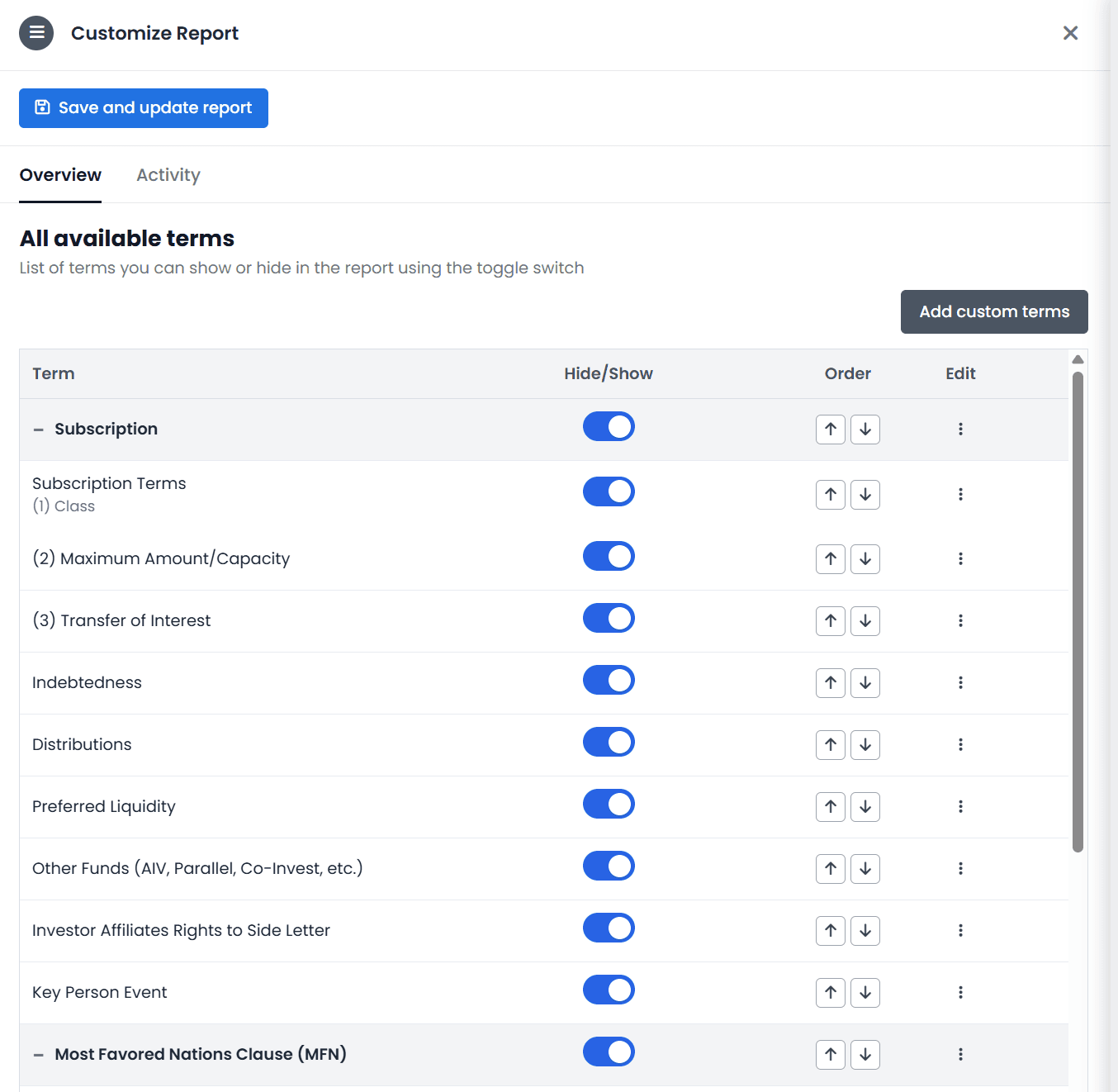
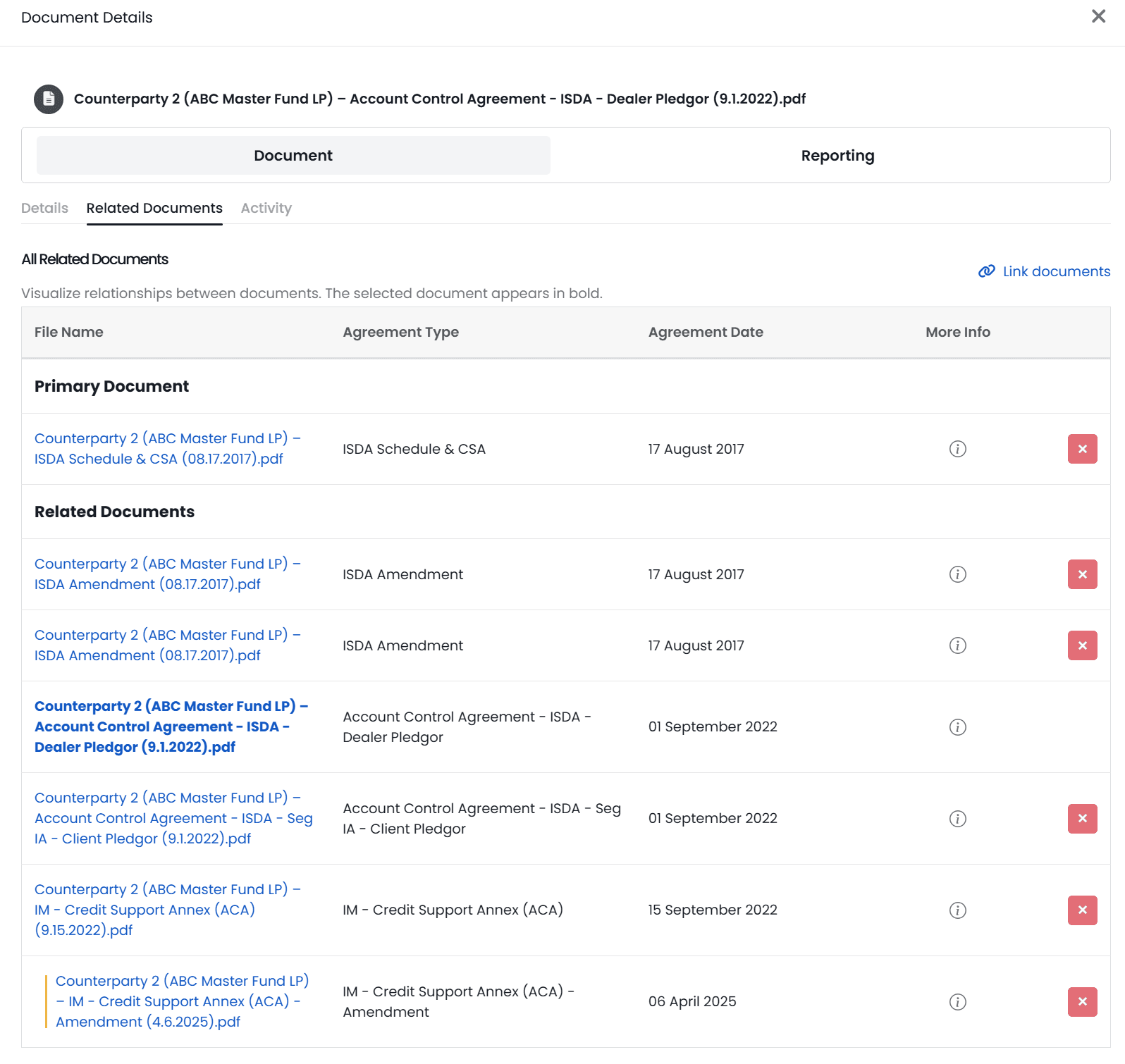
We’ve introduced a structure for related documents, giving you a single view to understand how your documents connect and track additional associated documents (e.g. amendments and supplements).
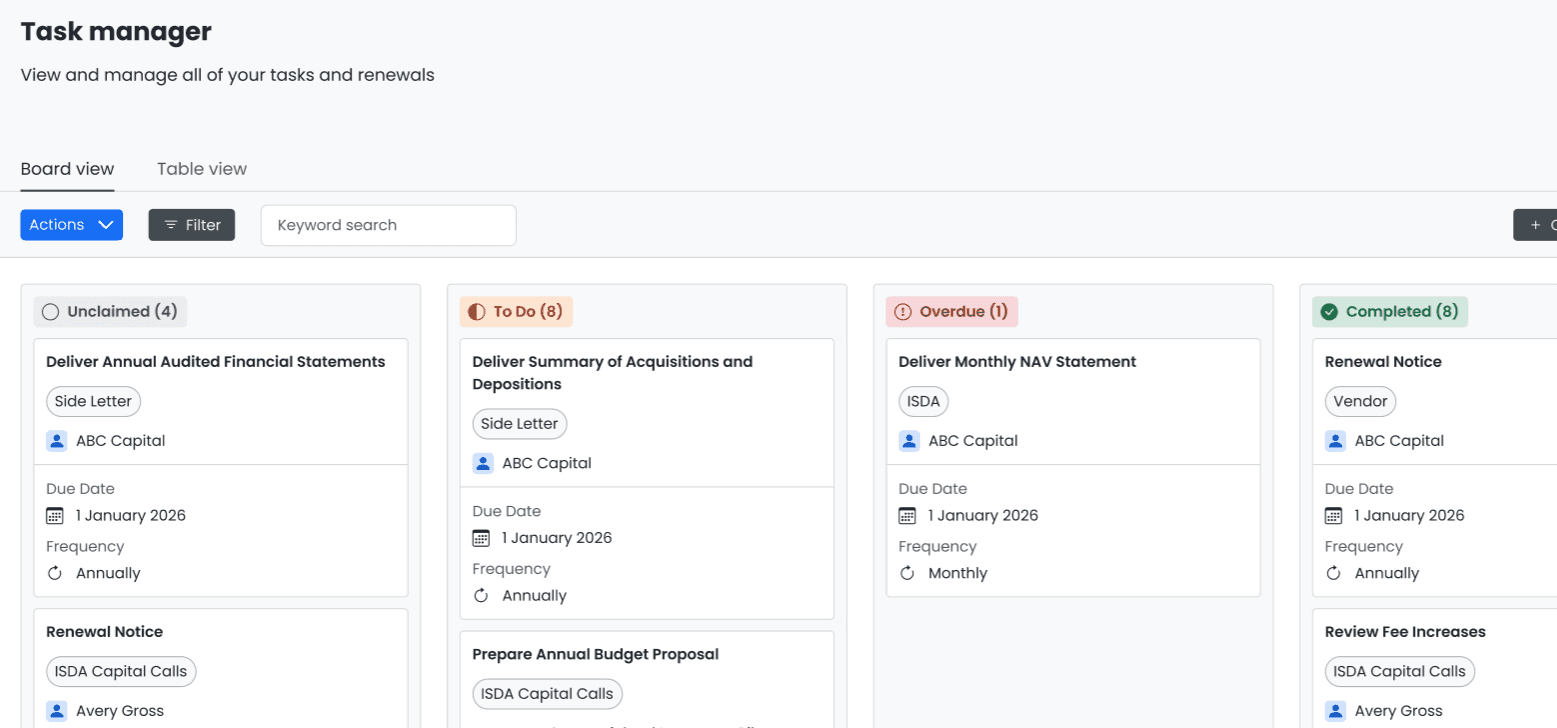
Task manager has been expanded so you can better track and act on deliverable obligations across all of your contracts and reports.
Tasks now move through clear status columns, so you can see exactly where everything stands at a glance.
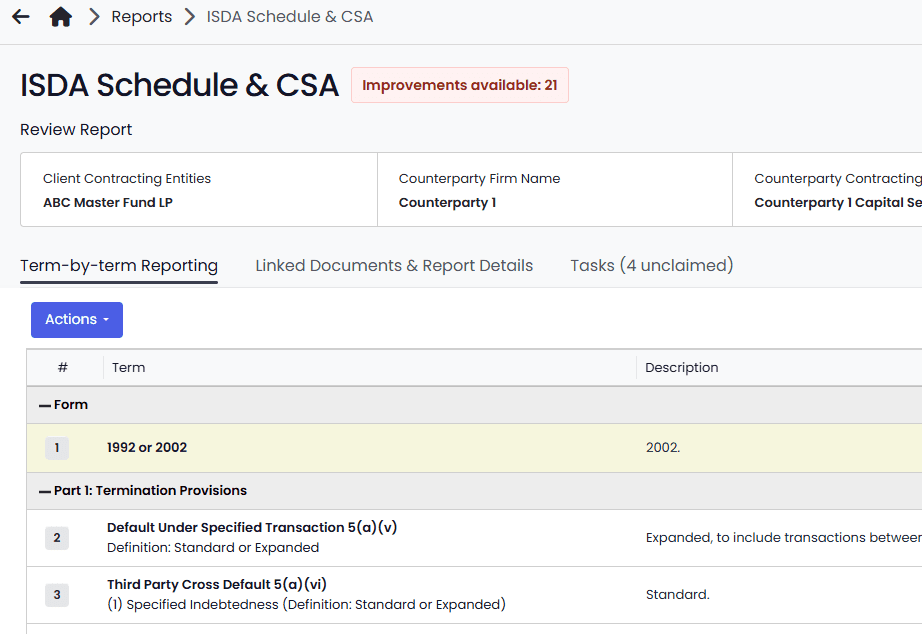
We’re excited to share that a redesigned Reporting page is rolling out in QDS. The updated Reporting page is designed to help you find what you need faster and stay focused while reviewing reports. You’ll notice:
Faster load times and improved performance
Clearer organization across reports and terms
A cleaner layout that reduces visual clutter
Streamlined navigation between reports, terms, and details
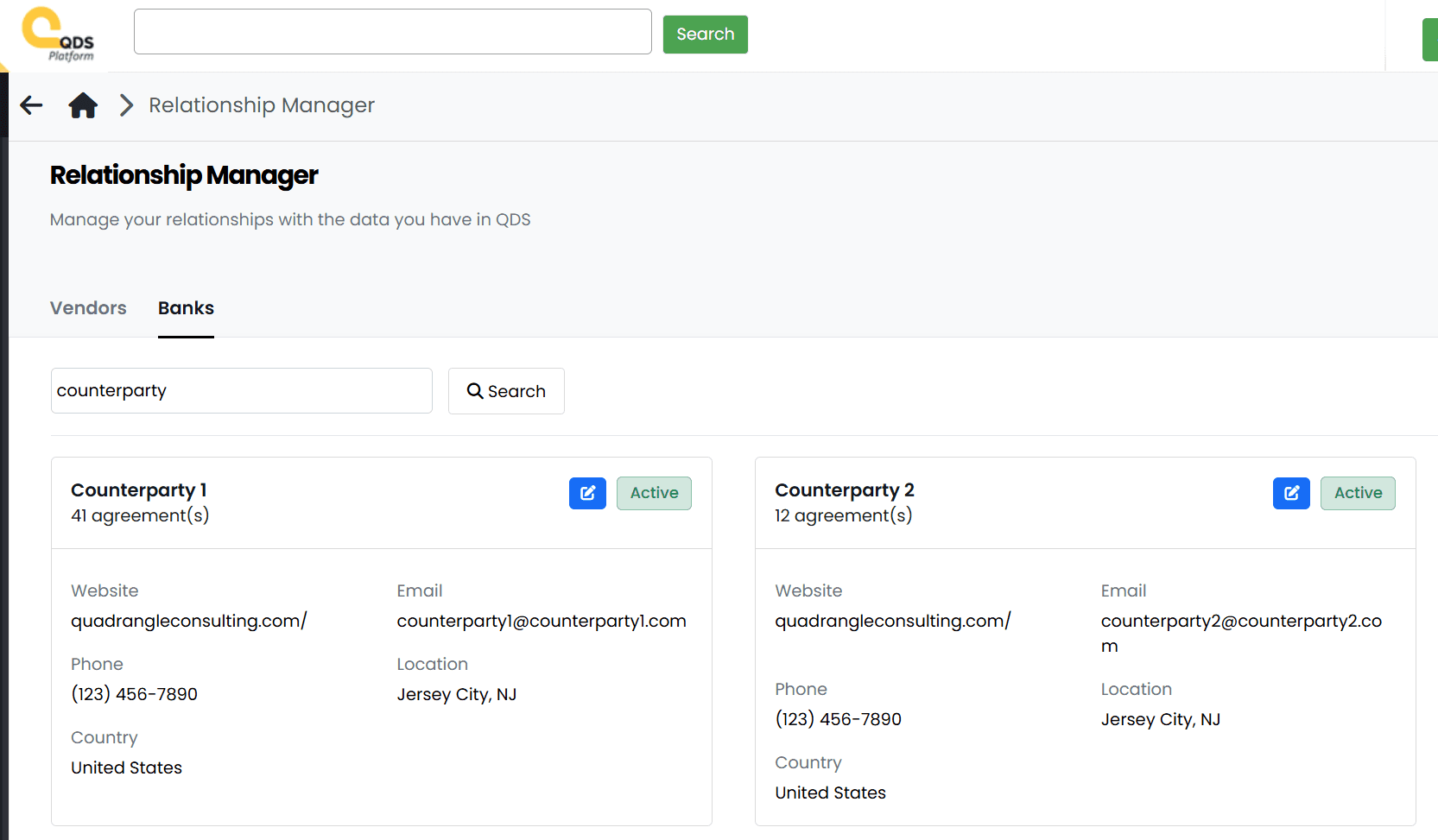
Access all relationships, create new ones, and see whether each one is Active, a Prospect, or Inactive based on their agreements in QDS.
Use the relationship manager to track contact information, agreements with each relationship, and add custom information.
View all information right from the dashboard by clicking on a counterparty name.
Leave notes or attach files while doing research

